Microsoft Teams still runs chat and meetings for many companies. The calling layer on top of it is a different story. Microsoft calling plans can get expensive, call centers often outgrow basic queues, and the full Teams app is a lot of software if you just need to take a phone call.
You do not have to leave Microsoft Teams to fix that. A dedicated Microsoft Teams phone alternative can handle PSTN calling, contact center workflows, and mobile use while Teams stays your collaboration platform.
Why Look for a Microsoft Teams Phone Alternative?
Microsoft 365 is everywhere, and Teams Phone grew with it. Calling needs and collaboration needs are still different.
Costs grow quickly
Teams Phone Standard does not include PSTN service. A domestic calling plan costs about $17 per user per month in Zone 1 markets. International outbound calling is about $34 per user per month.
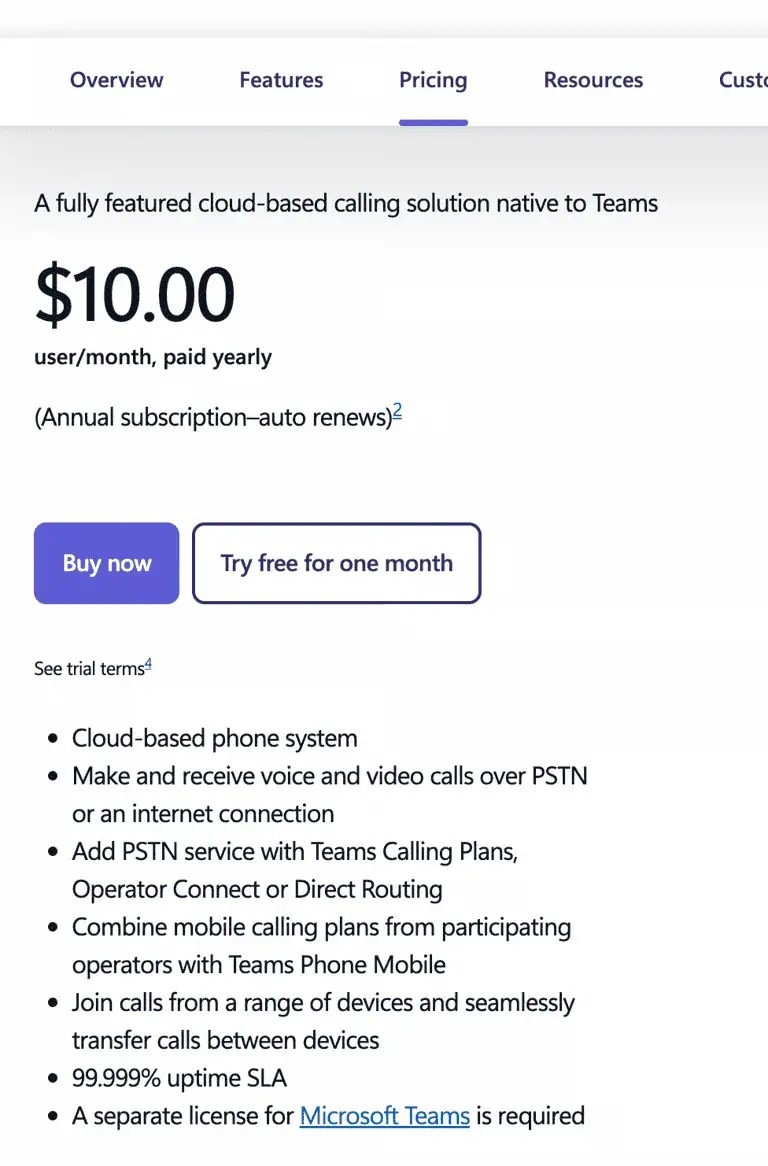
Compliance recording, advanced analytics, extra numbers, and SBC infrastructure for Direct Routing can raise the bill. Many businesses also end up paying for bundled minutes they do not use.
Call centers need more than queues
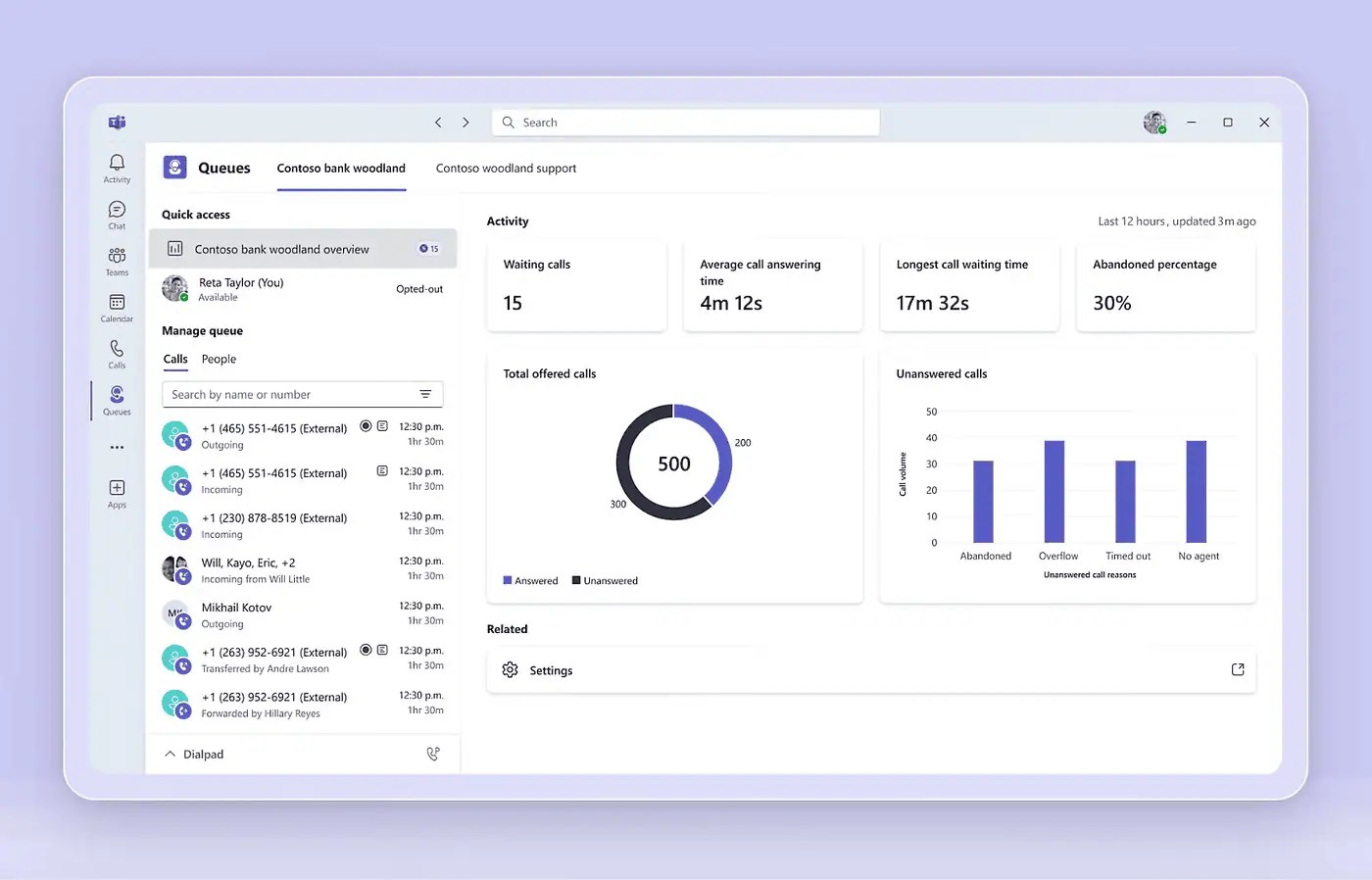
Native Teams Phone covers auto attendants and call queues. Support teams often need deeper IVR, live coaching, and routing across voice, SMS, and web chat. Microsoft added whisper, barge, monitor, and takeover through the Queues app starting in 2025. Full contact center work still often requires third-party tools or another platform.
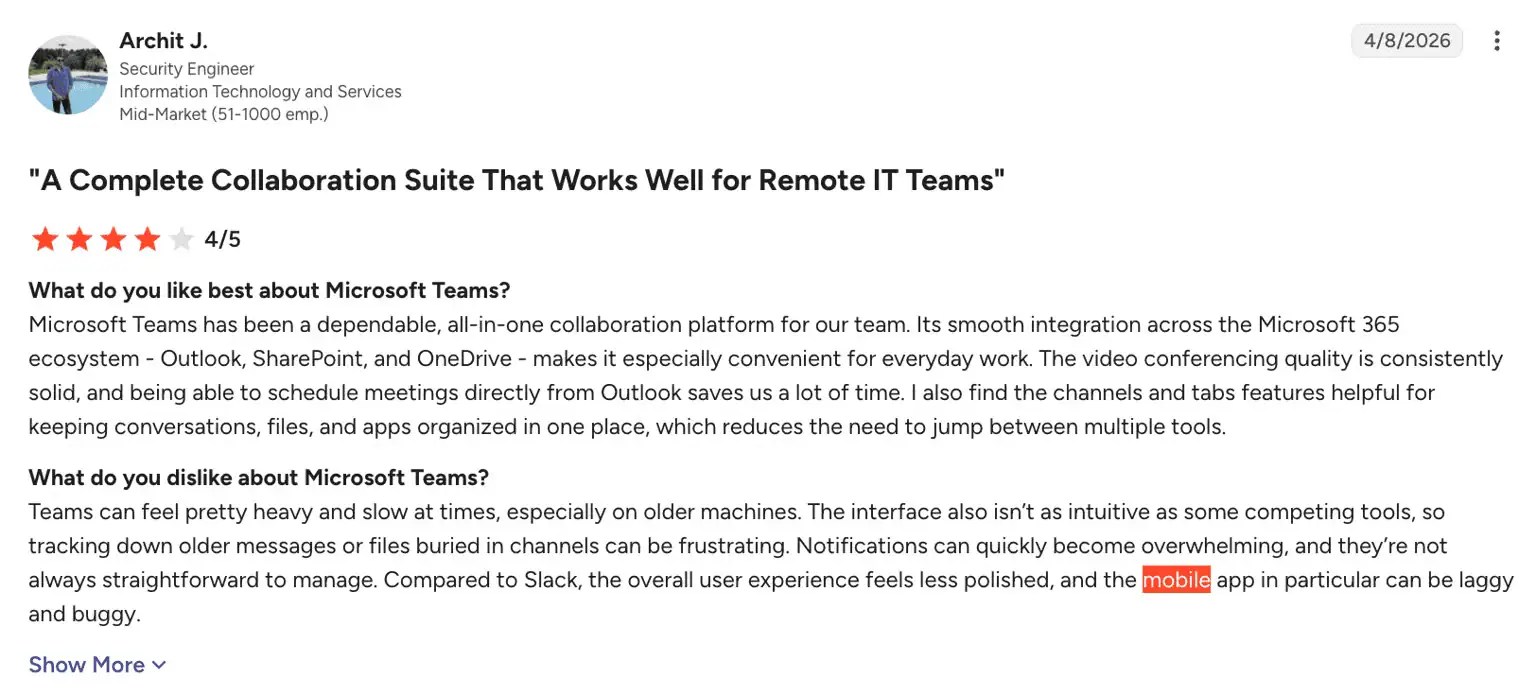
Mobile use feels heavy
Teams Phone Mobile lives inside the Teams app. Chat, channels, files, and video come along with it.
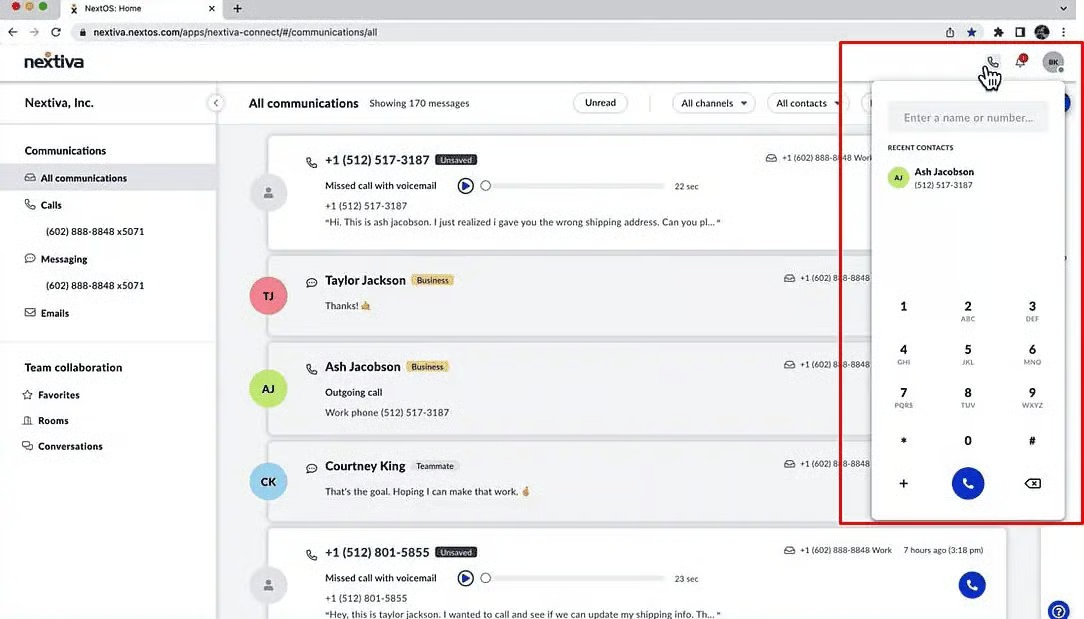
That setup makes sense for collaboration-first users. Phone-first mobile apps can feel simpler when calling is the device’s primary job, especially for frontline or remote teams.
24/7 help is not automatic
Microsoft’s support can take hours or days for lower-tier plans. Teams Phone lacks 24/7 support unless you have a direct relationship with Microsoft through an enterprise or partner agreement.
Nextiva offers 24/7 customer support on its business plans. That matters if you don’t have an in-house telecom team.
Most companies still want Teams for team collaboration. They just want a better phone alternative underneath it.

Quick Comparison: Top Microsoft Teams Phone Alternatives
Use this table to scan the top Microsoft Teams Phone alternatives. There is no universal winner. The best Microsoft Teams option depends on calling volume, CRM needs, and whether you want to keep the Teams app for chat.
| Provider | Best for | Starting price | Standout feature | Teams integration |
|---|---|---|---|---|
| Nextiva | Small and medium-sized businesses | $15 per user per month (Core, annual) | Built-in CRM, screen pop, 24/7 support | Available |
| Zoom Phone | Video-first teams | About $10.50–$16 per user per month | Zoom Meetings handoff | Limited |
| Google Voice | Google-first small teams | $10 per user per month (Starter) | Simple Google Workspace setup | No |
| Dialpad | AI-powered insights | $15 per user per month (Connect Standard) | Real-time transcription and coaching | Yes |
| CloudTalk | Outbound and contact sales | About $19–$29 per user per month | Power dialer, over 160 country numbers | Limited |
| 3CX | Self-hosted or hybrid control | Per simultaneous call | Data sovereignty, flexible routing | Yes |
What Is Microsoft Teams Phone?
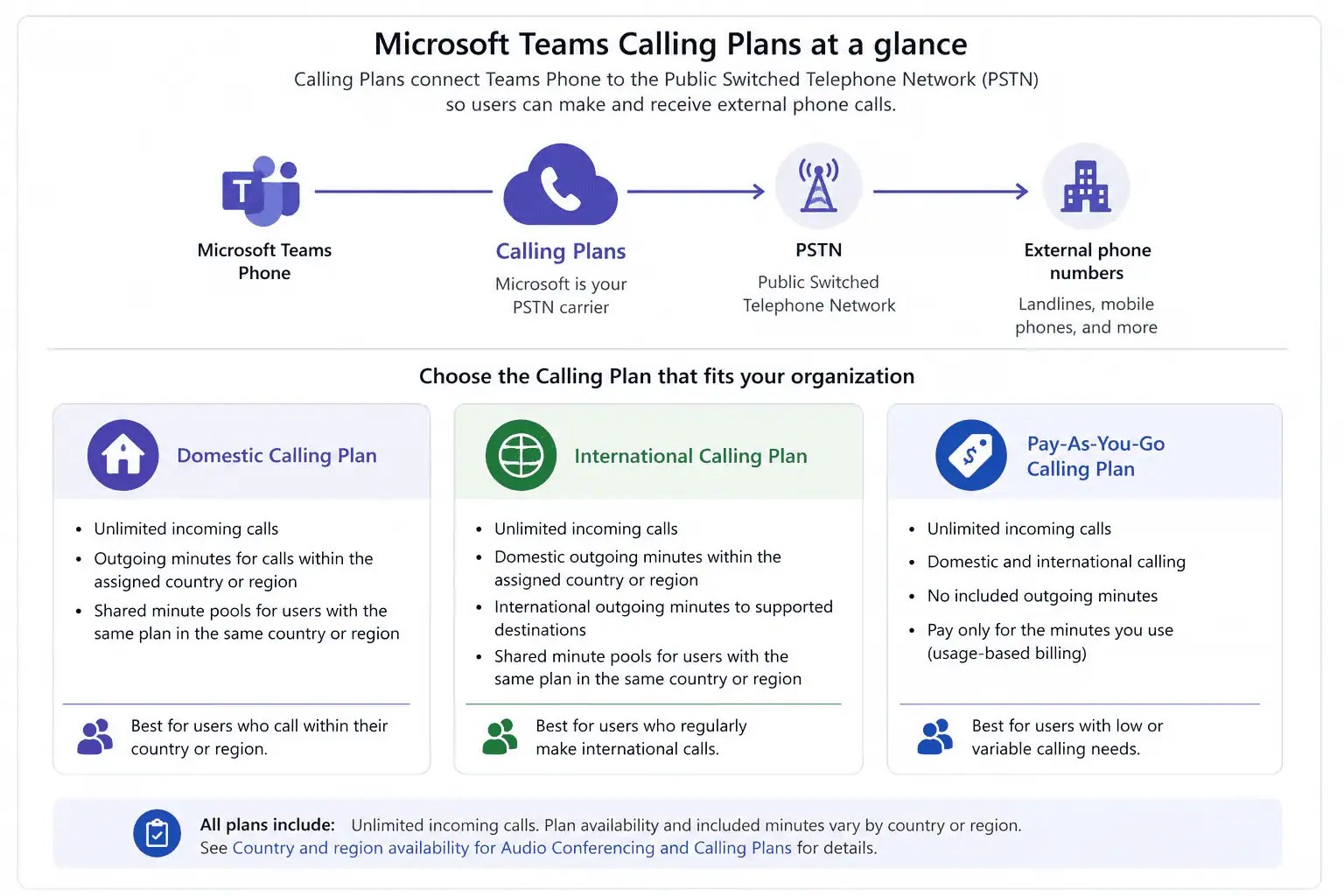
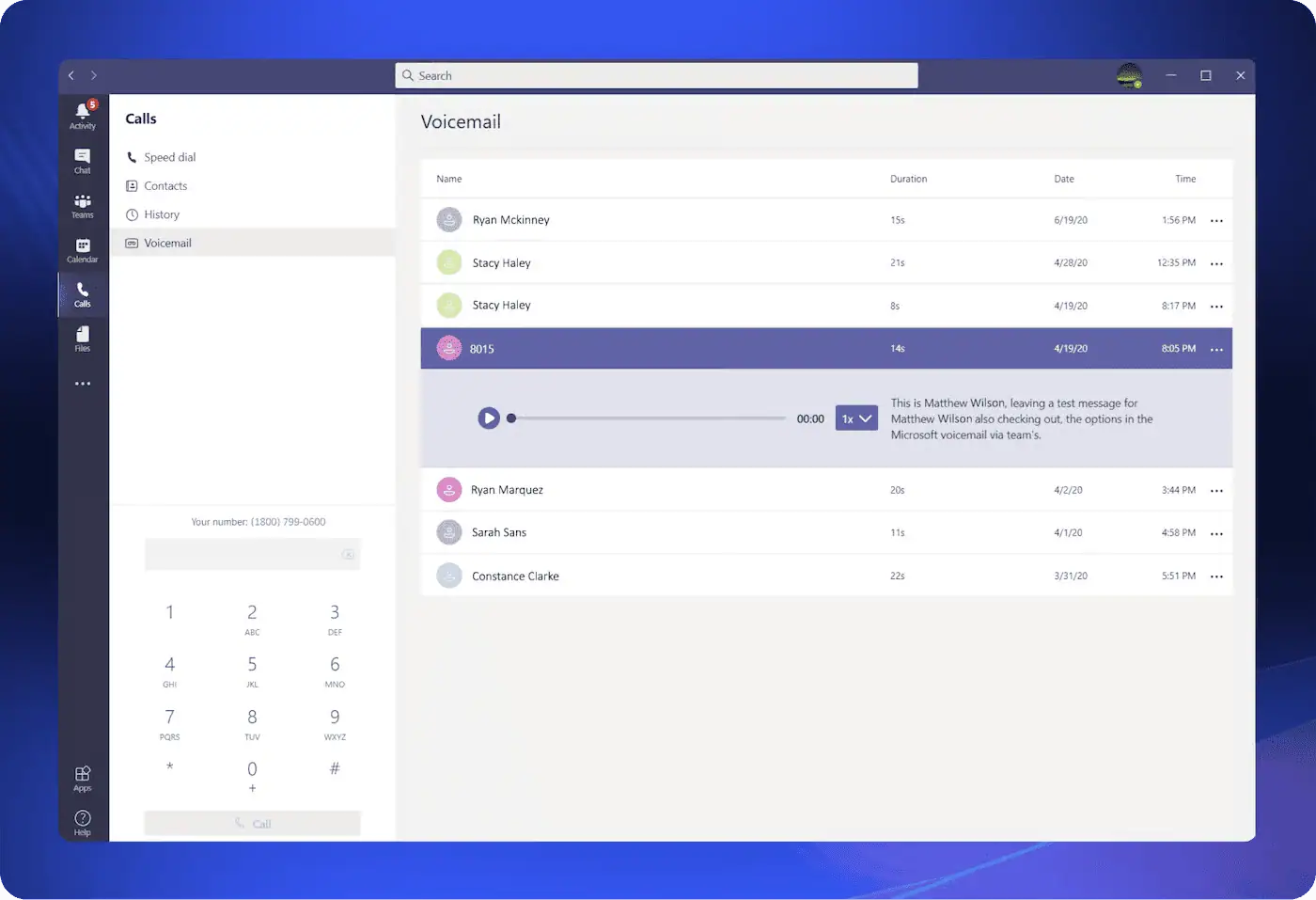
Microsoft Teams Phone is the calling layer inside Microsoft Teams. It covers external calling, voicemail, auto attendants, call queues, IVR, call forwarding, and Teams Phone Mobile on desktop and mobile phones.
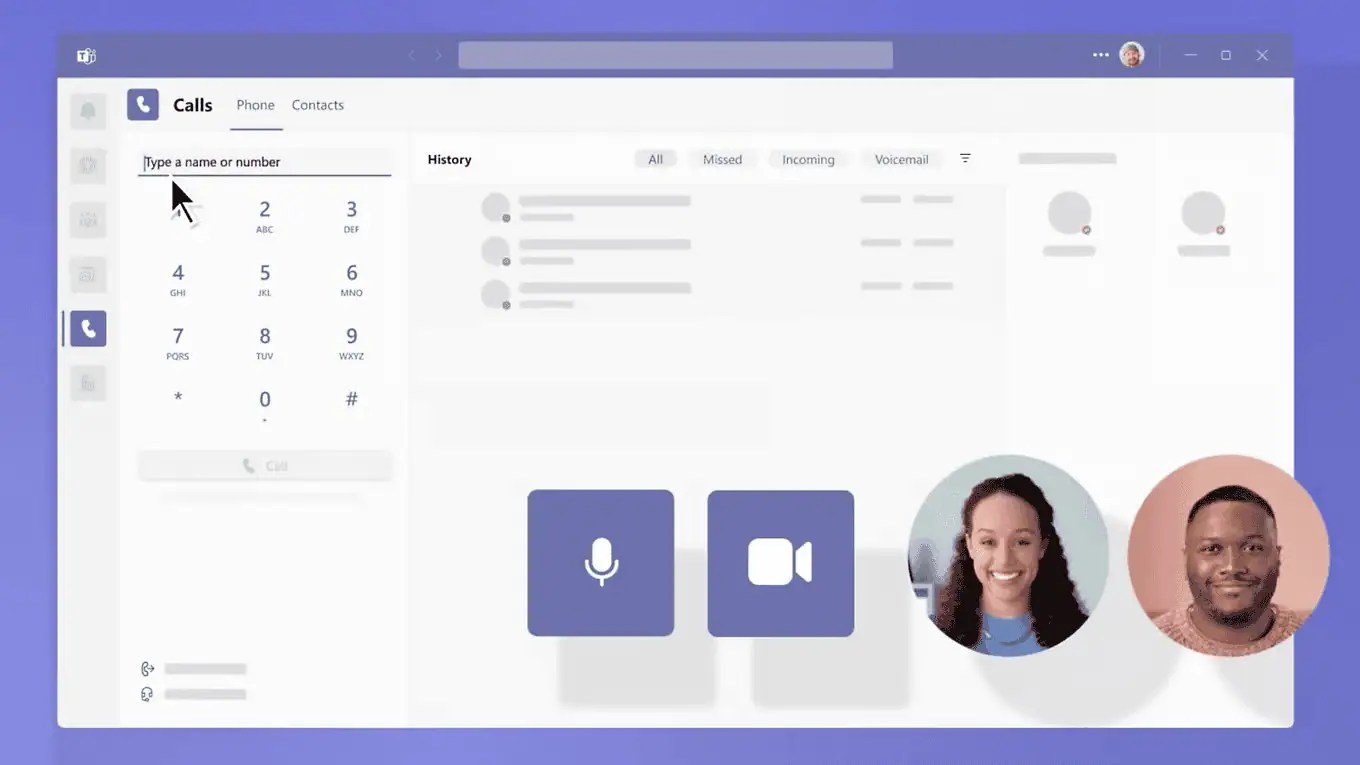
Identity and security sit in Microsoft Entra ID. Teams also connects with Outlook, SharePoint, OneDrive, and other Microsoft apps. Microsoft Teams also replaced Skype for Business as Microsoft consolidated communication and collaboration into Teams.
Licensing in 2026
You need a Microsoft 365 or Teams license, plus Teams Phone Standard unless you already have a phone system in an E5-style bundle. PSTN access then comes from Microsoft Calling Plans, Operator Connect, or Direct Routing through another service provider.
Where Teams Phone is strong
- Tight fit in the Microsoft ecosystem for calendar, email, files, and security policy
- One UI across desktop, web, and mobile
- Claimed 99.999% uptime SLA for the Microsoft Teams Phone service since April 2024. That uptime SLA applies only to new subscriptions after April 2024. Voice quality remains a separate 99.9% commitment under specific network and device conditions.
Where Teams Phone falls short
- Shallow IVR and routing when you need to send callers to the appropriate department
- Supervisor coaching is newer and often needs the Queues app or a partner
- Advanced analytics are thinner than those of dedicated cloud communications platforms
- Contact center depth usually needs add-ons
- Mobile app is not built as a phone-first client
A cloud-based phone system from a dedicated communications vendor usually bundles calling, messaging, and reporting. Teams Phone is still a solid choice if you live in Microsoft 365 and only need straightforward domestic calling.
Configuring Microsoft Teams Phone can also require deeper Microsoft administration knowledge than some businesses have in-house, but larger Microsoft environments may already have that expertise. Lean IT teams may prefer a system with simpler day-to-day administration.
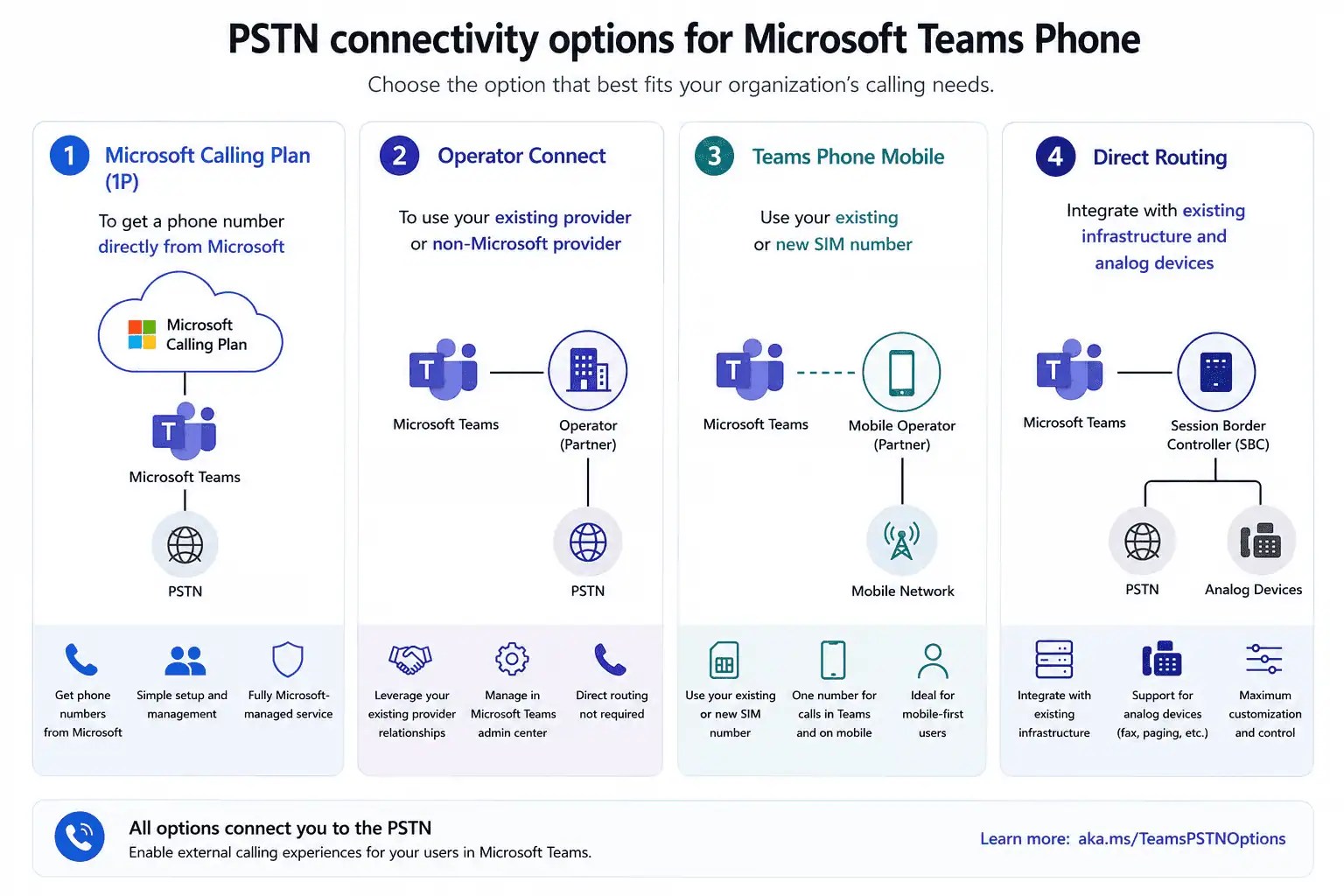
Microsoft PSTN connectivity options
| Option | Who provides numbers and minutes | When it fits |
|---|---|---|
| Microsoft Calling Plans | Microsoft | Simple domestic or bundled international calling |
| Operator Connect | A Microsoft-certified carrier | Carrier connectivity with Microsoft admin tools |
| Direct Routing | Your carrier plus a certified SBC | Custom, global, or complex call flows |
Cost Breakdown: Teams Phone vs. Alternatives
Teams Phone costs $23–$51 per user monthly once you include a Microsoft 365 seat, the phone add-on, and a calling plan. The low end reflects a cheaper Microsoft 365 plan plus domestic calling. The high end reflects a richer Microsoft 365 plan plus international minutes and extras.
Pricing models you will see
- Per-user cloud communications plans, such as Nextiva and Dialpad, bundle voice, video, messaging, and analytics
- Per-concurrent-call pricing, used by 3CX, charges for simultaneous calls instead of every extension
- Usage-based or hybrid plans, used by Zoom Phone and Google Voice, mix metered minutes with unlimited bundles
Hidden costs in Teams Phone
Watch out for international numbers, toll-free minutes, compliance call recording, advanced analytics, desk phones, and SBC infrastructure. Those extras can add up for medium-sized businesses.
Example monthly scenarios
| Scenario | Teams Phone estimated cost | Alternative range (approximate) |
|---|---|---|
| 25-seat small team, domestic U.S. calling | About $575 per month (~$23 per user) | $375 per month |
| 100-seat support desk, international plus contact center | About $3,400–$5,100 per month | $2,500 per month with built-in CC tools |
| 300-seat global sales organization, heavy outbound | About $10,200–$15,300 per month | $7,500 per month with international bundles |
These are planning ranges, not quotes. Actual bills depend on contracts, number types, and whether contact center seats cost extra. The non-Microsoft examples assume about $25 per month per seat for larger teams and about $15 per month for a smaller team.
Key Features to Compare in a Microsoft Teams Phone Alternative
Score every phone alternative against the same list, including Teams Phone.
Must-have phone system capabilities
- Inbound and outbound calling with virtual and toll-free numbers
- IVR and multi-level auto attendants for advanced call handling
- Call queues, ring groups, and overflow
- Voicemail with transcription
- Call recording, transfer, and parking
- E911 with location tracking
Advanced features
- Omnichannel coverage across voice, SMS, instant messaging, and web chat
- AI transcription, sentiment, and coaching
- Real-time and historical reporting
- Routing, follow-ups, and workflow automation
Communication platforms are increasingly integrating AI capabilities. The difference usually comes down to how deeply those tools connect to your phone system, contact center, CRM, and customer data.
Integration requirements
- CRM integration with Salesforce, HubSpot, or a built-in CRM
- Help desk tools such as Zendesk or Freshdesk
- Collaboration tools including Microsoft Teams, approval workflows, and task apps
- SSO and identity platforms
Comprehensive unified communication solutions combine calling, video, messaging, and collaboration. Cloud phone systems also support features such as call routing and voicemail transcription out of the box.
Check that your shortlist covers the communication channels your teams actually use.
Microsoft Teams Phone Alternatives to Consider
Nextiva
Nextiva is a Microsoft Teams Phone alternative built around customer experience, not just dial tone. It is a good match if you want one place to manage phone calls, see customer context, and contact support.

What you get
- Auto attendants, call queues, call recording, and reporting
- Omnichannel coverage across voice, SMS, email, and social
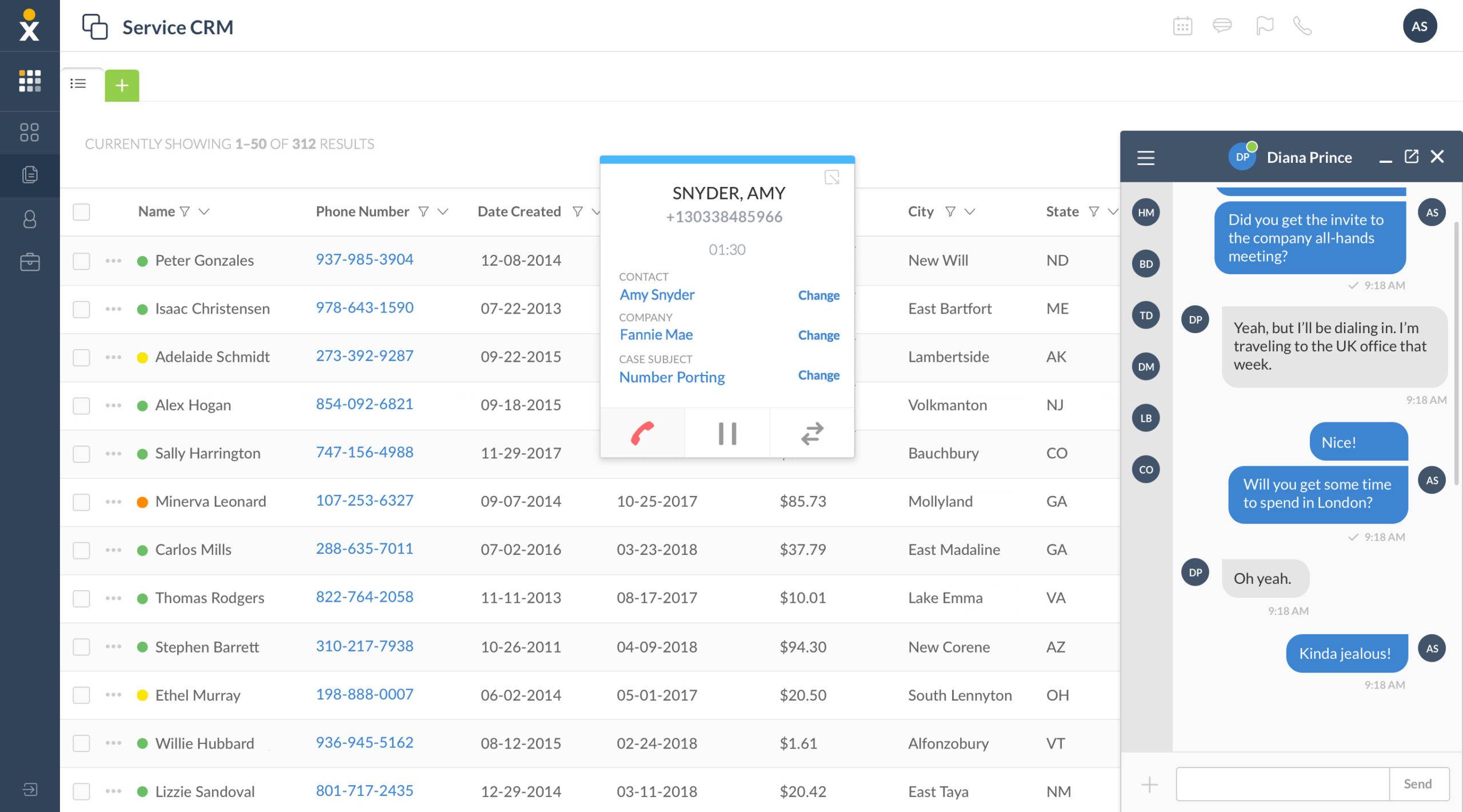
- Built-in CRM features and screen pop that show call history, tickets, and purchase context. Teams Phone does not do this natively. See Nextiva’s inbound call center software for how screen pop and CRM context work.
- AI transcription, summaries, and journey tools on the Scale plan
Nextiva also strives for 99.999% uptime, putting its reliability in the same range as enterprise voice platforms.
Pricing
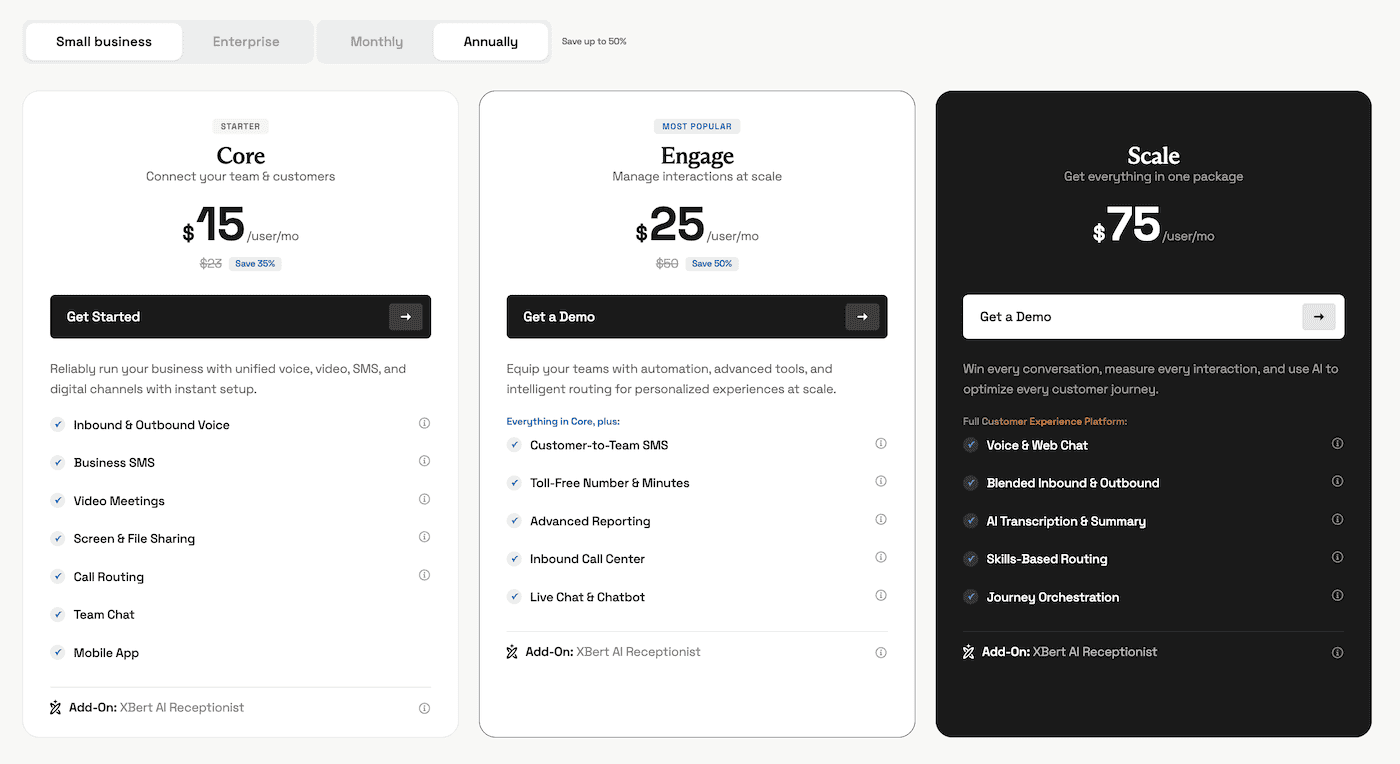
Nextiva’s plans and pricing start at $15 per user per month billed annually, or $23 month-to-month. Engage is $25 per user per month, billed annually. Scale is $75 per user per month.
- Nextiva Core covers inbound and outbound voice, business SMS, video meetings, screen sharing, call routing, team chat, and desktop and mobile apps.
- Nextiva Engage adds customer-to-team SMS, toll-free minutes, advanced reporting, inbound call center features, and live chat.
- Nextiva Scale adds blended inbound and outbound capabilities, AI transcription and summaries, skills-based routing, and journey orchestration.
Microsoft Teams integration is an add-on on Core and available on higher plans. Outlook and Google contacts are included. Salesforce, HubSpot, Zendesk, and other CRM integrations are available.
Nextiva also lists 24/7 support by phone, email, and chat on every plan, along with SOC 2 and ISO 27001 certification.
Where Nextiva stands out
- One communications stack for voice, SMS, web chat, and automation, which reduces the need to bolt extra contact center products onto Teams Phone
- Screen pop and CRM context before the agent answers
- Clear path from a simple phone system to a full contact center
- 24/7 customer support without an enterprise Microsoft agreement
- Inbound AI voice agent capabilities available for a nominal cost of $99 per month
Nextiva is not the cheapest seat in every scenario, and CRM integrations can still be add-ons. For teams that want CX tooling and human support, it is one of the cleanest alternatives.
Teams Phone vs. Nextiva
| Capability | Teams Phone | Nextiva |
|---|---|---|
| Calling, auto attendants, call queues | Yes | Yes |
| Phone-first mobile app | Full Teams app | NextivaONE |
| Built-in CRM / screen pop | No | Yes |
| Contact center and omnichannel | Add-ons or partners | Engage and Scale |
| AI transcription and summaries | Limited | Scale |
| 24/7 vendor support | Enterprise or partner | All listed plans |
| Keep Teams for chat and video | Native | Available |
Zoom Phone
Zoom Workplace can include Zoom Phone, which is useful if your team already lives in Zoom for video calls.

Main capabilities
- Cloud PBX with domestic and international calling
- SMS, call queues, auto attendants, and call recording
- Easy escalation from a call into Zoom Meetings
- User-friendly interface on desktop and mobile
Pricing
Recent 2026 rate cards put U.S. and Canada Metered plans around $10.50 per user per month and U.S. and Canada Unlimited plans around $16 per user per month with annual billing.
Bundled Workplace plus phone plans cost more. Metered seats work for lighter users and some global teams.
Fit and trade-offs
Zoom Phone is a practical Microsoft Teams Phone alternative if you are not standardized on Microsoft 365, if video conferencing is the center of the day, or if you want simpler PSTN packaging. Call quality is generally well regarded. Contact center depth and analytics are lighter than those of CX-focused platforms, while network conditions can still affect internet-based calling.

Google Voice and Google Workspace
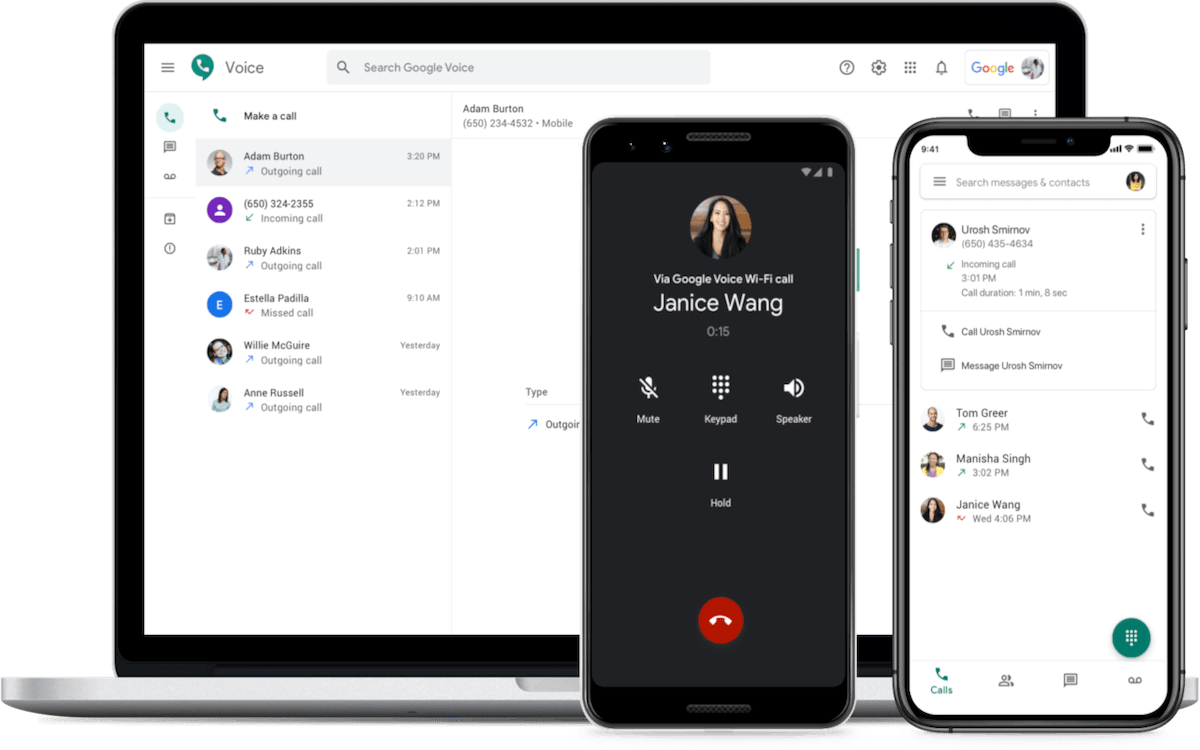
Google Workspace provides cloud-based productivity tools and integrated communication. Google Voice is the phone layer for teams already in Gmail, Meet, and Drive.
Google Voice features
- Business numbers with voicemail transcription
- SMS and call forwarding
- Multi-level auto attendants
- Call recording on higher tiers
- Calendar and Meet hooks
Pricing
Google Voice Starter costs $10 per user per month with Google Workspace, which starts around $7 per user per month. Standard and Premier add ring groups, reporting, and eDiscovery-style controls.
Limits
Google Voice is simple, which is the point. It has fewer contact center tools, thinner analytics, and coverage gaps outside its supported regions.
If you need omnichannel routing, AI transcription, or deep CRM integration, you may outgrow Google Voice. For small teams that only need to manage phone calls inside Google Workspace, the setup is hard to beat.
Dialpad
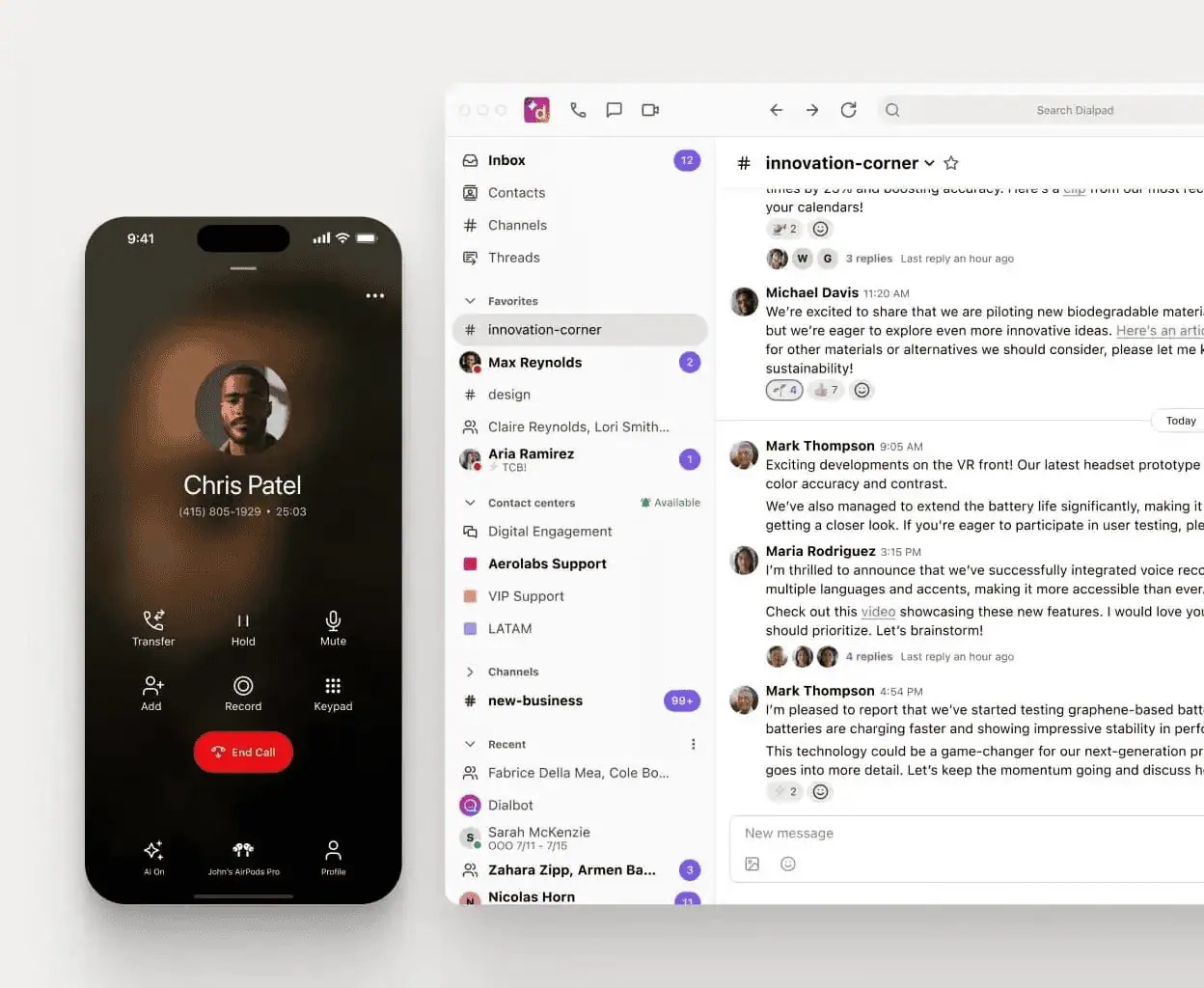
Dialpad is built for sales teams and support teams that want the call itself to produce coaching data.
AI features
- Real-time transcription and sentiment analysis
- Automatic summaries and action items
- Keyword tracking and live coaching
- Virtual numbers across multiple regions
Pricing
Dialpad starts at $15 per user per month on Connect Standard with annual billing, and AI features are included at that entry tier. Pro is $25 per user per month with annual billing. Enterprise is quote-based. Contact center products, including Support and Sell, use separate pricing ladders and cost more. Dialpad provides a 99.9% uptime SLA for its services.
Dialpad is a strong Microsoft Teams Phone alternative if in-call intelligence is the main gap. It is less of a full customer-experience suite than Nextiva’s higher tiers.
CloudTalk
CloudTalk is built for outbound sales teams and high-volume contact sales, not as a general collaboration suite.

Strengths for outbound teams
- Power dialer and parallel dialing
- Call tagging, routing, and rep analytics
- Local numbers in over 160 countries
- More than 95 integrations for CRMs, help desks, and other business tools
Plans commonly start around $19–$29 per user per month. Higher tiers add international minutes, queues, and AI agents.
Teams Phone can place outbound calls. It is not designed for high-volume dialing or rep performance tracking.
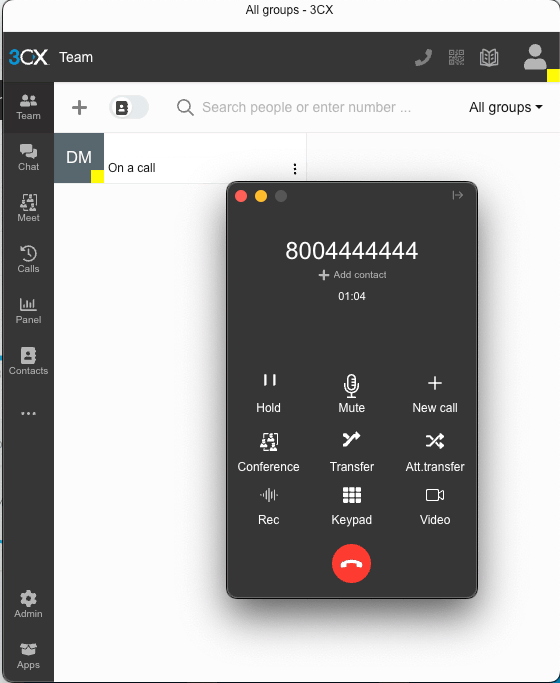
3CX
3CX is software you host yourself or in a private cloud. That makes it a different kind of Microsoft Teams Phone alternative.
Core capabilities
- Call queues, IVR, ring groups, call forwarding, and voicemail
- Web conferencing, live chat, and WhatsApp
- Optional AI transcription on higher plans
- Microsoft Teams integration for messaging and meetings, so Teams can remain part of the front-end experience while 3CX handles PSTN connectivity
Pricing
3CX charges based on simultaneous calls, not per user. That can be cheaper when many people share moderate traffic.
3CX’s free plan supported small teams of up to 10 users in older SMB editions, but the company has been scaling that free edition back through 2025 and 2026. Most buyers should budget for a paid license. Recent commercial pricing examples start around a few hundred dollars per year for a small simultaneous-call bundle.
Trade-offs
You own patching, security, and redundancy, or you hire a managed service company to handle them. The payoff is data sovereignty and custom routing that pure SaaS platforms may not match.

Keep Teams While Changing the Calling Layer
You do not have to treat Microsoft Teams and Microsoft Teams Phone as one inseparable system. Several ways let you keep Teams for collaboration while changing how business calling reaches the public switched telephone network.
The important distinction is whether Teams remains your actual calling interface or simply stays alongside a different business phone system.
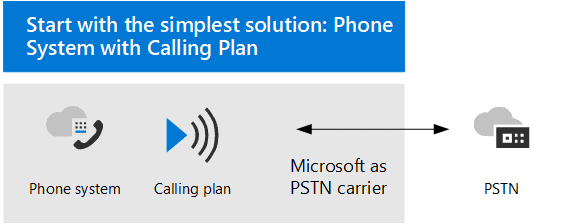
Option 1: Teams Phone with Microsoft Calling Plans
This is the most Microsoft-native setup. Microsoft provides Teams Phone, phone numbers, and PSTN connectivity. Users make and receive external calls inside Teams. Microsoft manages the calling plan and much of the surrounding administration.
This model fits organizations that want a straightforward Microsoft setup and don’t need specialized routing, customer context, or contact center capabilities.
Option 2: Teams Phone with Operator Connect or Direct Routing
In this model, Teams remains the calling interface, but Microsoft does not have to provide the PSTN service.
Operator Connect lets a Microsoft-certified carrier provide numbers and connectivity while much of the administration remains tied to Microsoft Teams.
Direct Routing connects Teams to another carrier or communications platform through a certified session border controller. This gives organizations more control over carriers, international coverage, call flows, and telephony architecture.
Nextiva uses Direct Routing for its Microsoft Teams integration. Teams users can keep the familiar Microsoft interface while Nextiva supports the voice connection and broader communications environment.
Option 3: Keep Teams for collaboration and use another phone platform
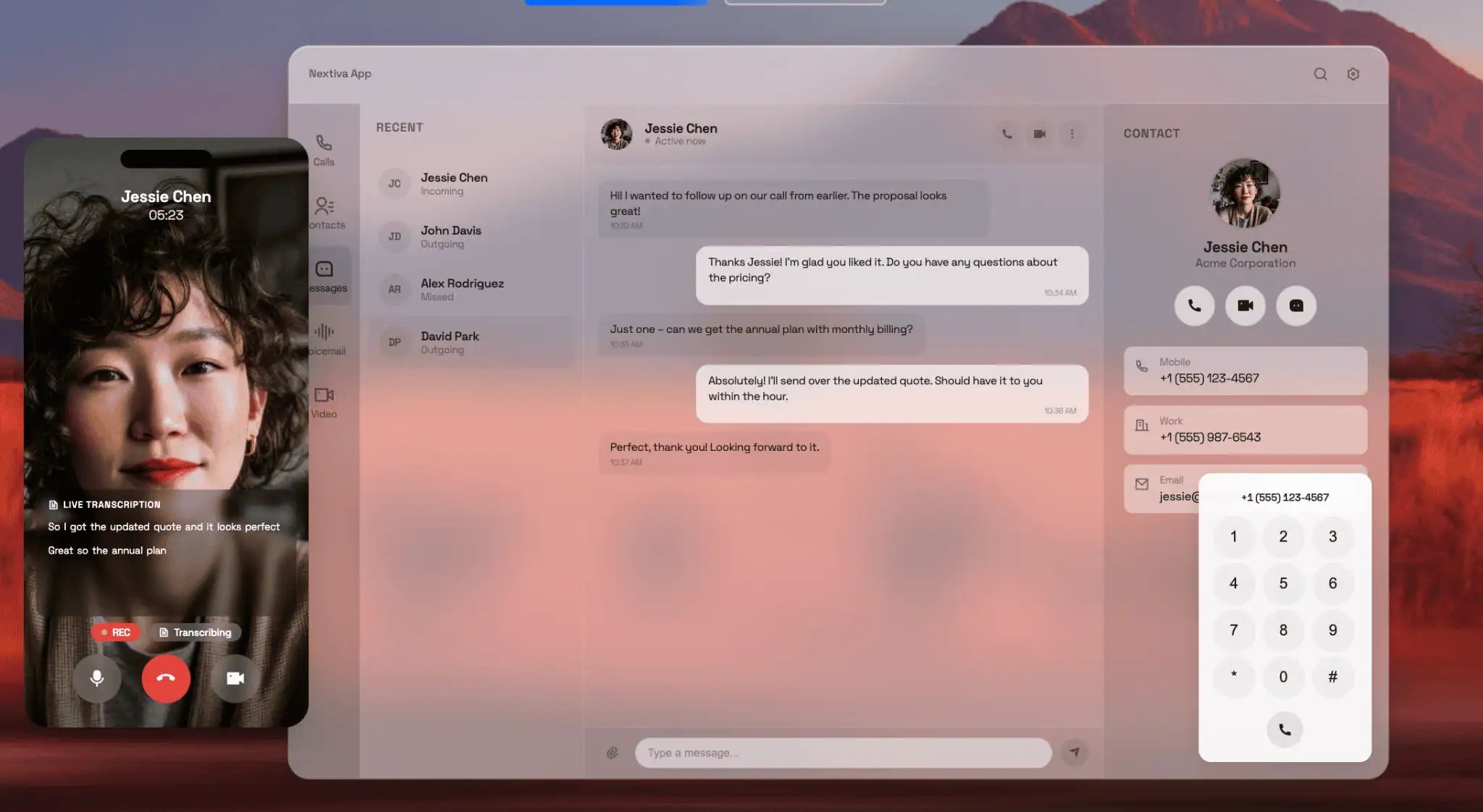
A third approach is to keep Microsoft Teams for chat, files, meetings, and document collaboration while moving business calling into another business phone system.
Users may place calls from the vendor’s desktop or mobile app rather than the Teams Phone interface. This can be useful when teams want a more phone-first mobile experience, richer CRM context, or deeper contact center workflows. The trade-off is that employees need to understand which application handles which job.
Why teams separate collaboration from calling
This approach lets you keep Microsoft 365 and other Microsoft apps in place. You can change the telephony layer without forcing everyone to abandon Teams for internal collaboration. It can also give you clearer calling plans, different international rates, stronger contact center features, and more advanced analytics or AI.
What to watch during migration
Port existing phone numbers on a conservative timeline. Verify E911 locations and test routing before cutover. Also, define the user experience before rollout. Employees should know whether they will place calls inside Teams, through an embedded integration, or through another desktop or mobile app.
How to Choose the Best Microsoft Teams Phone Alternative
Step 1: Audit current usage
Count minutes, internal calls versus PSTN calls, mobile versus desk use, and how much you rely on video. Many seats never need a direct inward dialing number.
In some cases, keeping Teams Phone may still make sense.
Step 2: Write must-haves
Omnichannel support, advanced analytics, AI, HIPAA or GDPR requirements, and CRM integration should be yes-or-no items, not nice-to-haves. Talk with the teams that use voice most often. Sales, support, operations, and IT may have very different requirements.
Step 3: Match the ecosystem
If you run Microsoft 365, choose a platform that works alongside Teams without disrupting how employees already collaborate. Nextiva can integrate with Microsoft Teams while adding broader customer experience capabilities. That can help businesses keep Teams for internal work while extending what happens around customer calls.
If you run Google Workspace, start with Google Voice or another Google-friendly system. Choosing around the tools employees already use can reduce integration work.
Sometimes staying within one ecosystem simplifies administration. In other cases, separating collaboration and telephony gives the business more flexibility.
Step 4: Model real cost
Compare per-user, per-minute, and concurrent-call pricing. Include annual versus monthly terms, setup fees, international numbers, and toll-free traffic. Look at one-year and three-year totals. Also account for staff time, implementation help, and ongoing administration when those costs apply.

Step 5: Pilot two systems
Run a short trial next to Teams Phone. Test call quality, admin work, the mobile app, and at least one real workflow. Let the pilot determine which system works better in practice.
Keep Teams Where It Works and Upgrade Calling Where It Does Not
Microsoft Teams Phone works well for straightforward calling inside the Microsoft ecosystem. The decision gets more complicated when teams need deeper routing, richer customer context, contact center tools, or a more phone-focused mobile experience.
You also do not have to replace Microsoft Teams to change your phone system. Teams can remain the collaboration platform for chat, files, and meetings while another system handles business calling. Direct Routing and other integration models can make that transition less disruptive.
When comparing alternatives, focus on the full operating model, not just the lowest seat price. Look at call routing, CRM integration, mobile use, analytics, support, international calling, and the cost of maintaining the system over time.
Nextiva is a strong fit for businesses that want to connect business calling with customer interactions and contact center workflows. Its Microsoft Teams integration also lets organizations keep familiar collaboration tools while expanding what their phone system can do.
Ready to ditch your old phone system? It’s easy.
Stay connected with your team and customers with one solution. Reliably run your business with unified voice, video, SMS, and digital channels with instant setup.
FAQ: Microsoft Teams Phone Alternatives
For chat, meetings, and files, Microsoft Teams is still a strong choice if you already pay for Microsoft 365. For telephony and call centers, dedicated cloud communications platforms can be a better alternative for calling.
Nextiva, Zoom Phone, and Dialpad are common shortlist options. The best alternative to Microsoft Teams depends on the organization’s specific needs.
Yes. Microsoft Teams Phone is Microsoft’s cloud phone system for Microsoft Teams. It adds business calling features such as external calling, voicemail, auto attendants, call queues, and call forwarding.
Businesses still need a way to connect Teams Phone to the PSTN. That can come from Microsoft Calling Plans, Operator Connect, or Direct Routing.
Yes. Teams Phone can replace a traditional desk phone for many users. Employees can make and receive business calls through the Teams desktop app, mobile app, or compatible desk phones. Whether it is the right replacement depends on your routing, contact center, mobile, and administration needs.
Yes. Microsoft moved its workplace communication strategy from Skype for Business to Microsoft Teams.
Teams became Microsoft’s main platform for chat, meetings, collaboration, and business calling.
Usually not, especially when the new vendor provides onboarding support. The harder parts are often number porting, routing changes, E911 configuration, and training employees on the new calling workflow.
You also do not have to remove Teams chat or meetings. Many businesses change the phone layer while keeping Microsoft Teams in place.
Yes.
Related


More from Nextiva Blog