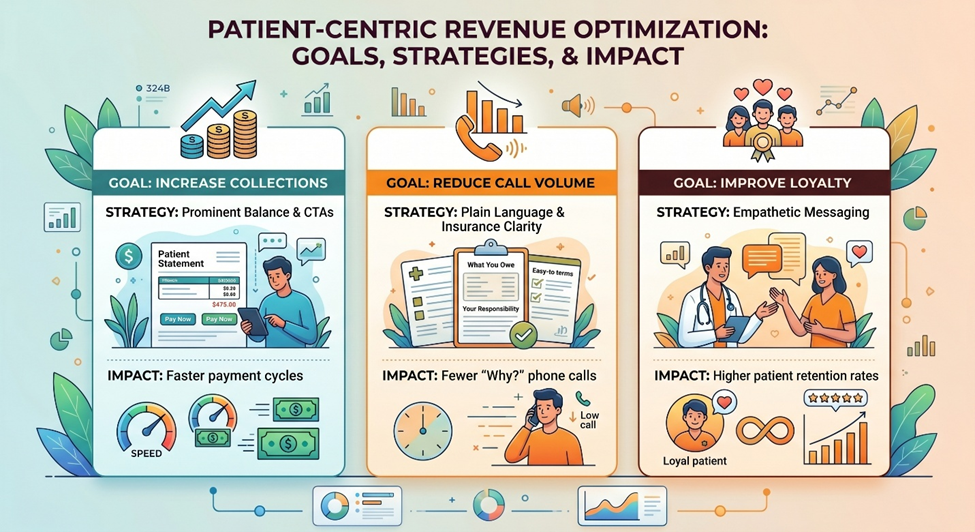
Many healthcare providers still send paper statements in the mail. But think about this from your own perspective: when you receive a bill in the mail, do you usually pay it immediately? Or do you open it up and set it aside? (Or even worse, not open it for a few weeks because you know there’s a bill inside.)
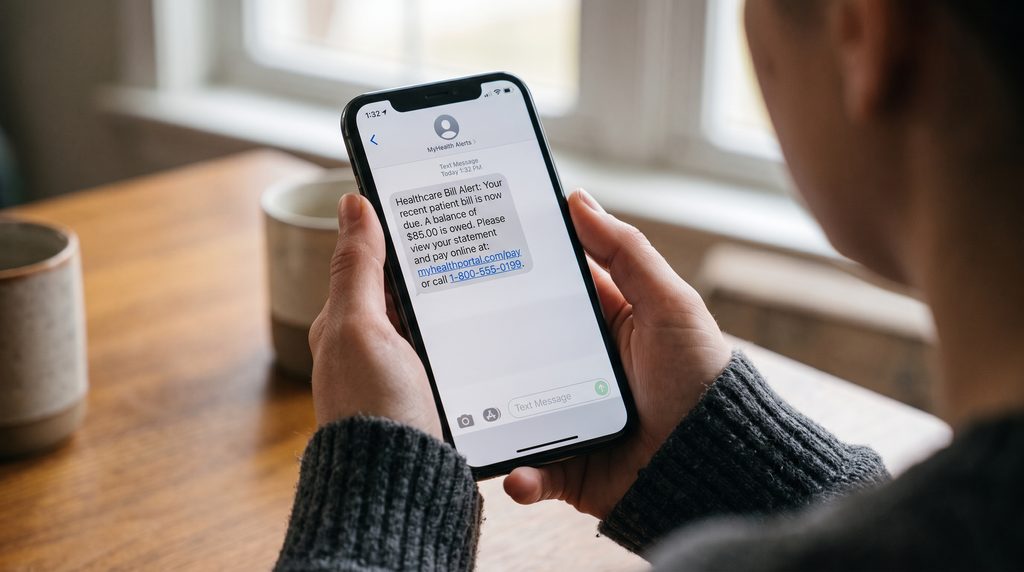
Compare this to receiving a text message that tells you your payment is due. You’re more likely to view the text immediately and because taking action is so much simpler, you’re also more likely to make that payment right away.
This is why it makes sense for healthcare providers to utilize text-to-pay in their practices. While there will always be a place for paper statements, text-to-pay is the most seamless payment option available. According to the research in our SMS Text Messaging in Healthcare White Paper, 32% of patients pay their medical bill within 5 minutes of receiving a text reminder. That’s faster than mobile apps (30%), email, and patient portals (each with 25%).
If the process of implementation is the major hurdle your organization faces, we have good news for you: you can configure text-to-pay in just 15 minutes if you’re already a MailMyStatements user.
What Is Patient Text-to-Pay?
The term “text-to-pay” is a bit of a misnomer. Patients are not making a direct payment via text.
With a text-to-pay system, the patient receives an SMS notification that lets them know their statement is ready to view. From there, they can click on a secure link to view the statement and/or make a payment. The payment website is secured and HIPAA-compliant.
Naturally, this is an easier process than paper statements; it’s also easier than traditional payment portals. It doesn’t require patients to look up the URL or remember their login credentials. Instead, they just need to click a link.
MailMyStatements’ patient payment solutions include other options that help make the process seamless, including branded payment sites that foster trust, digital wallets, and card-on-file payment plans.
15-Minute Text-to-Pay Setup
If you have a MailMyStatements account with text-to-pay capabilities, the setup is easier than you might expect. Here’s a look at the process.
Allow Patient Opt-In
Billing texts must be sent with care; patients need to trust them and opt in. Our guidance on HIPAA and SMS patient billing recommends asking patients to opt in during registration or when they interact with the patient portal.
The language you use for authorization should be easy to understand, and there should also be verbiage explaining how patients can opt out should they choose to. Front desk staff should be able to discuss the advantages with patients and have the information they need to answer common questions.
Letting patients know in advance that your practice uses text billing helps build trust so your messages don’t get marked as spam.
Write a Simple Text Message
People aren’t likely to read text messages that are several paragraphs long. The ideal text-to-pay message is just a sentence or two: let patients know that a new statement is available and then include the secure URL so they can view it.
According to HIPAA standards, keep diagnoses, procedure details, insurance information, and other sensitive details out of the message itself. Instead, patients can access that information in the secure payment portal.
Make Sure the Payment Page Works on a Phone
If you send an SMS text-to-pay notification, but the URL leads to a desktop website, it’s a source of frustration for the patient.
As we explain in our guide to mobile-first healthcare billing, patients should be able to open the link, view their balance, choose a payment method, make their payment, and receive confirmation without switching to a computer.
Test your patient payment experience on a phone before sending anything. Luckily, if you use MailMyStatements, our payment portals are optimized for mobile, so you never have to worry about sending patients to a payment site that’s cumbersome to use.
Decide on Timing and Follow-Ups
Consider how soon your practice will send text-to-pay messages after a patient visit, and also how frequently follow-ups will be made when statements aren’t paid right away.
MailMyStatements’ BillingCycle Plus digital communications platform allows providers to establish an SMS delivery window, automate follow-up reminders, send individual or bulk messages, and track message delivery. Our team can also help you decide on timing that works best for your organization.
Send Yourself a Test
The final step is viewing the text-to-pay process from the patient perspective by sending a message to your own phone.
From there, follow the process exactly as you would if you were a patient. Open the notification, click the payment link, and make sure everything is as it should be.
Is your branding recognizable? Does the website look trustworthy? And, most importantly, would you take immediate action and make your payment, or would you need additional information to feel comfortable doing so?
Why Patient Text-to-Pay Works So Quickly
The immediacy of SMS messaging is its advantage. For better or worse, most of us have our phones within arm’s reach at all times. In this context, it makes sense why 32% of patients pay within 5 minutes of receiving a text-to-pay message.
Traditional paper statements are set aside for later, and even emails tend to get lost in the shuffle when inboxes are constantly flooded with promotions and newsletters. SMS messages still have our attention, though.
Our guide to text-to-pay and the revenue cycle explains how not only does texting give patients a more direct way to quickly make a payment, it has other advantages for healthcare providers too. Utilizing text-to-pay reduces the need for additional mailings and staff time needed to make follow-up calls.
That said, we do still recommend a hybrid approach to medical billing. Paper statements can help establish legitimacy, and there’s still a subset of patients who prefer doing things the “old-fashioned way.” Email, online payment portals, and traditional paper statements should all remain part of the mix.
Are You Ready to Implement Patient Text-to-Pay at Your Practice?
If your MailMyPayments platform is already in place, configuring a text-to-pay workflow doesn’t need to be complicated. Our team can help you get started or answer any questions you might have about the setup process.
Not a current MailMyStatements user? Schedule a demo today to learn more about our offerings.

The post How to Set Up Patient Text-to-Pay in 15 Minutes appeared first on MailMyStatements.